Create Images with Perfect Text — Native 2K

Unlike other AI generators that misplace or garble text, Qwen Image 2.0 renders words precisely as you type them. Describe your poster, slide, or infographic and get a print-ready image at 2048×2048 resolution. Create new images or edit existing ones, all in one place on Miadance.

AI That Gets the Words Right Inside Your Image
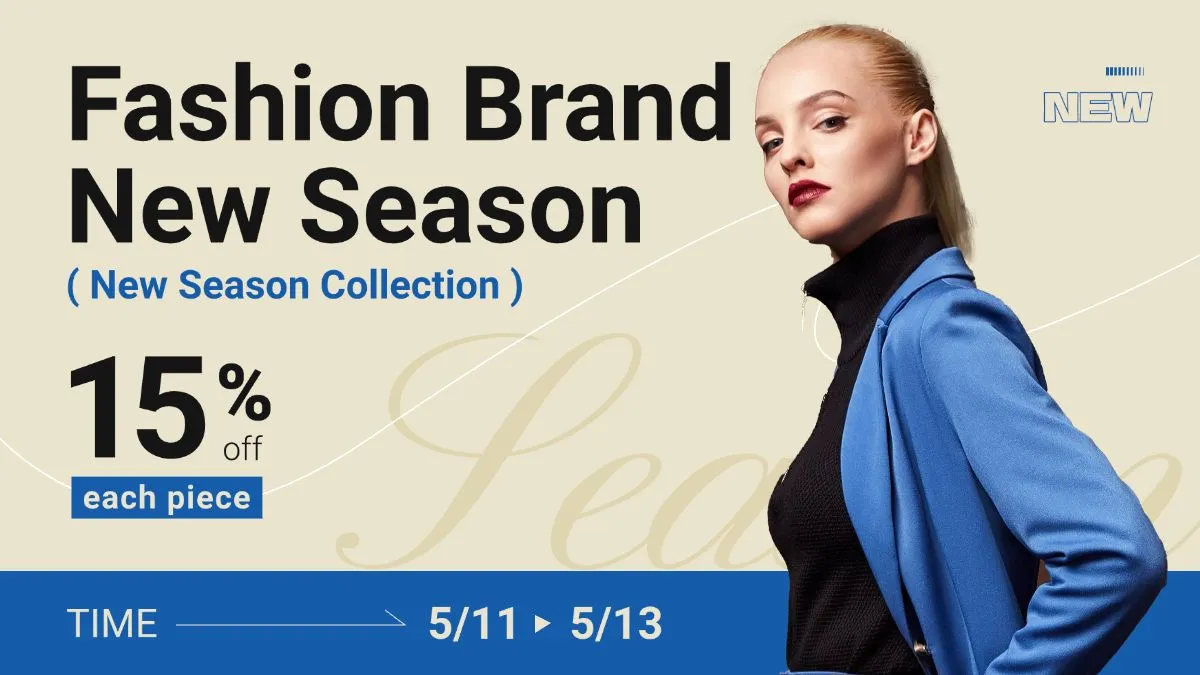
Many AI tools struggle with text — blurry letters, broken layouts, mixed-up multilingual characters. Qwen Image 2.0 handles prompts up to 1,000 tokens long, so it can follow detailed layout instructions and render complex typography accurately. It's the difference between guessing your text and following your instructions exactly.

Posters & Promotional Materials

Generate professional posters with readable headlines, body copy, and decorative type in the right size, placement, and visual weight. The model understands layout hierarchy: title at the top, date at the bottom, tagline in the middle. Every element lands where it belongs.
Try Now

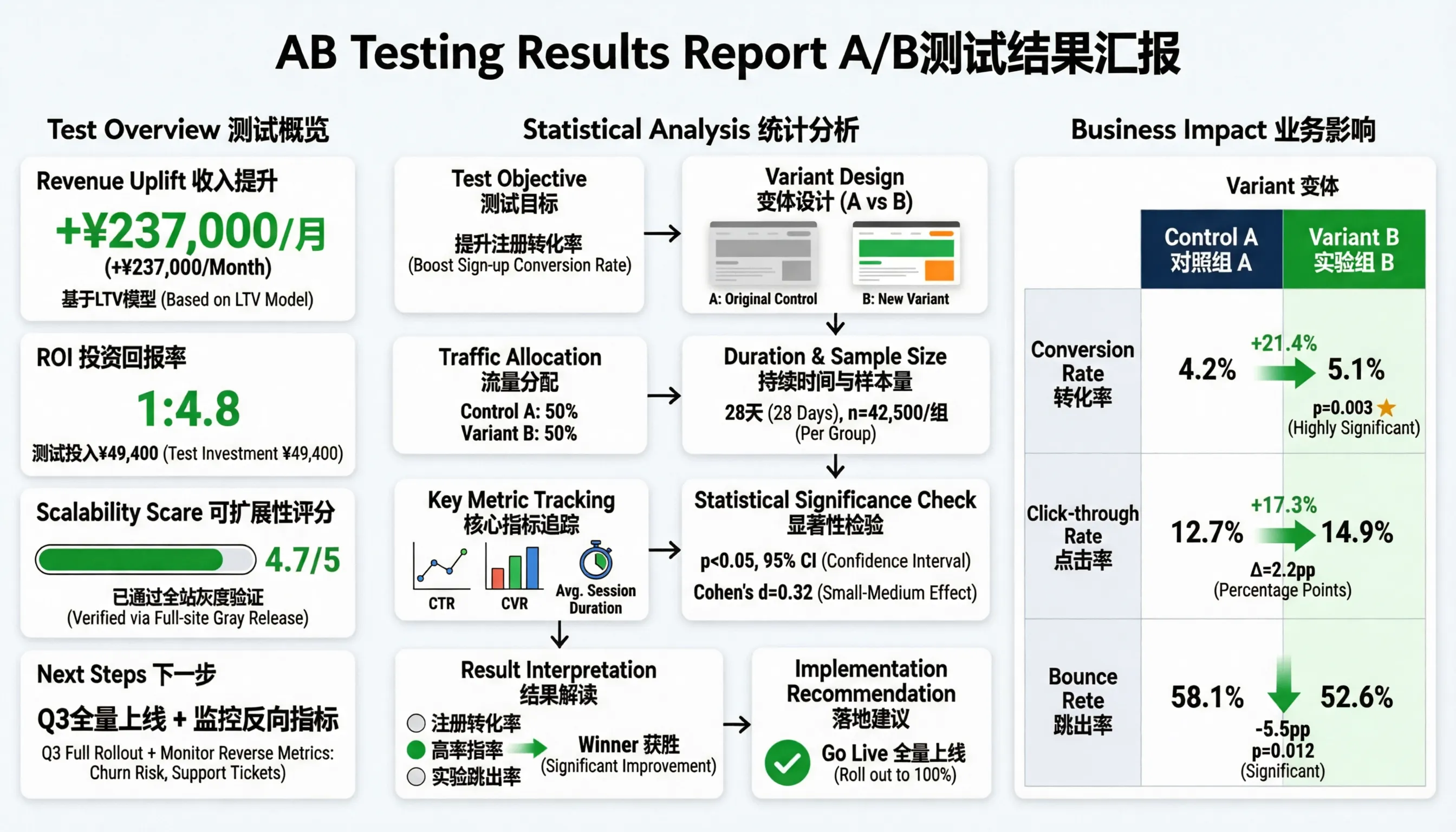
Infographics & Data Visuals

Feed in a detailed data structure and get a formatted infographic: charts, labels, legend text, and annotations all rendered accurately. The 1,000-token prompt window means dense, information-rich layouts that other models break apart actually come out complete.
Try Now

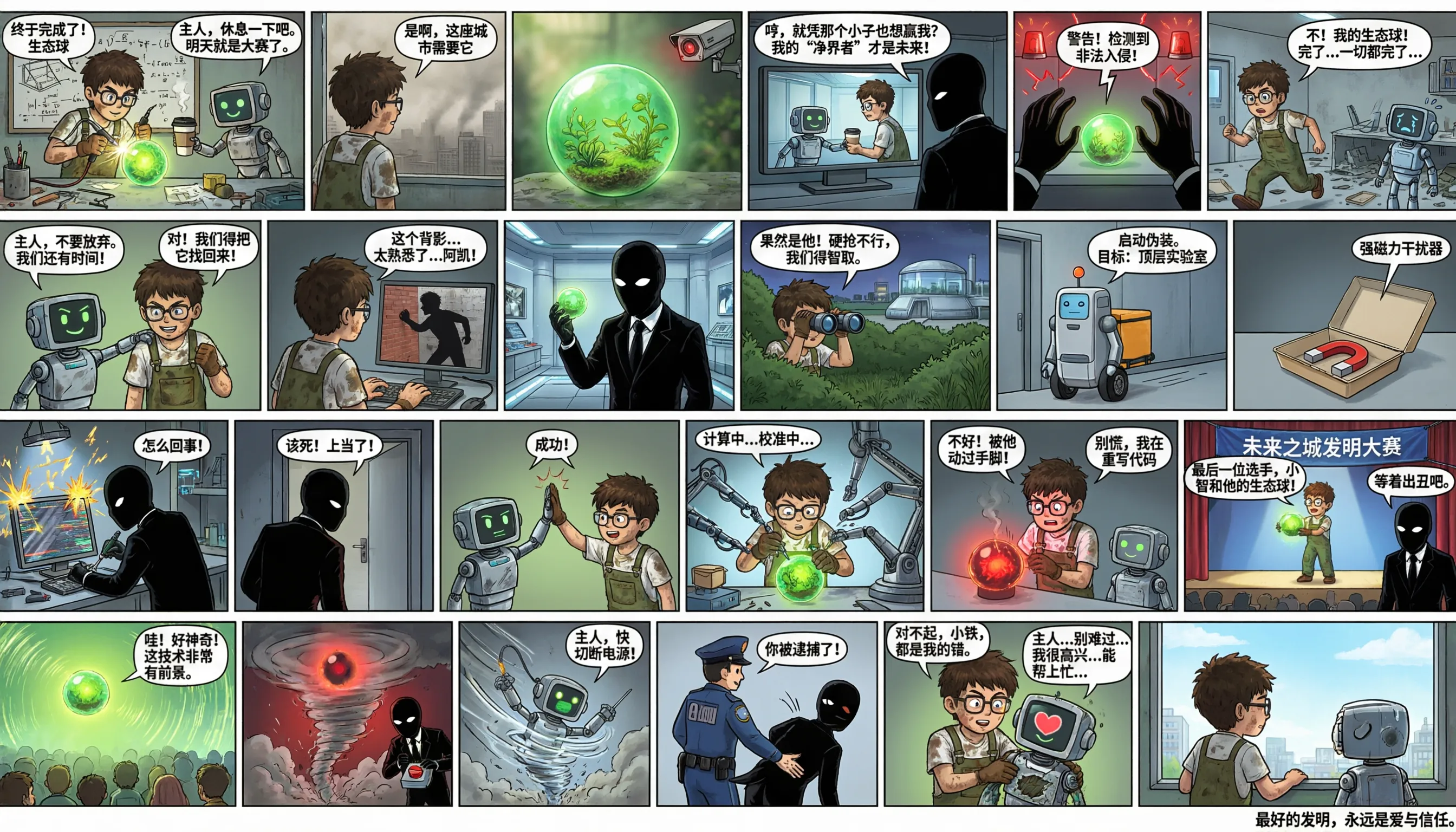
Comic Panels & Sequential Art

Generate multi-panel comics with dialogue text correctly placed inside speech bubbles, consistent characters across panels, and narrative continuity. The model tracks visual logic across the full sequence.
Try Now

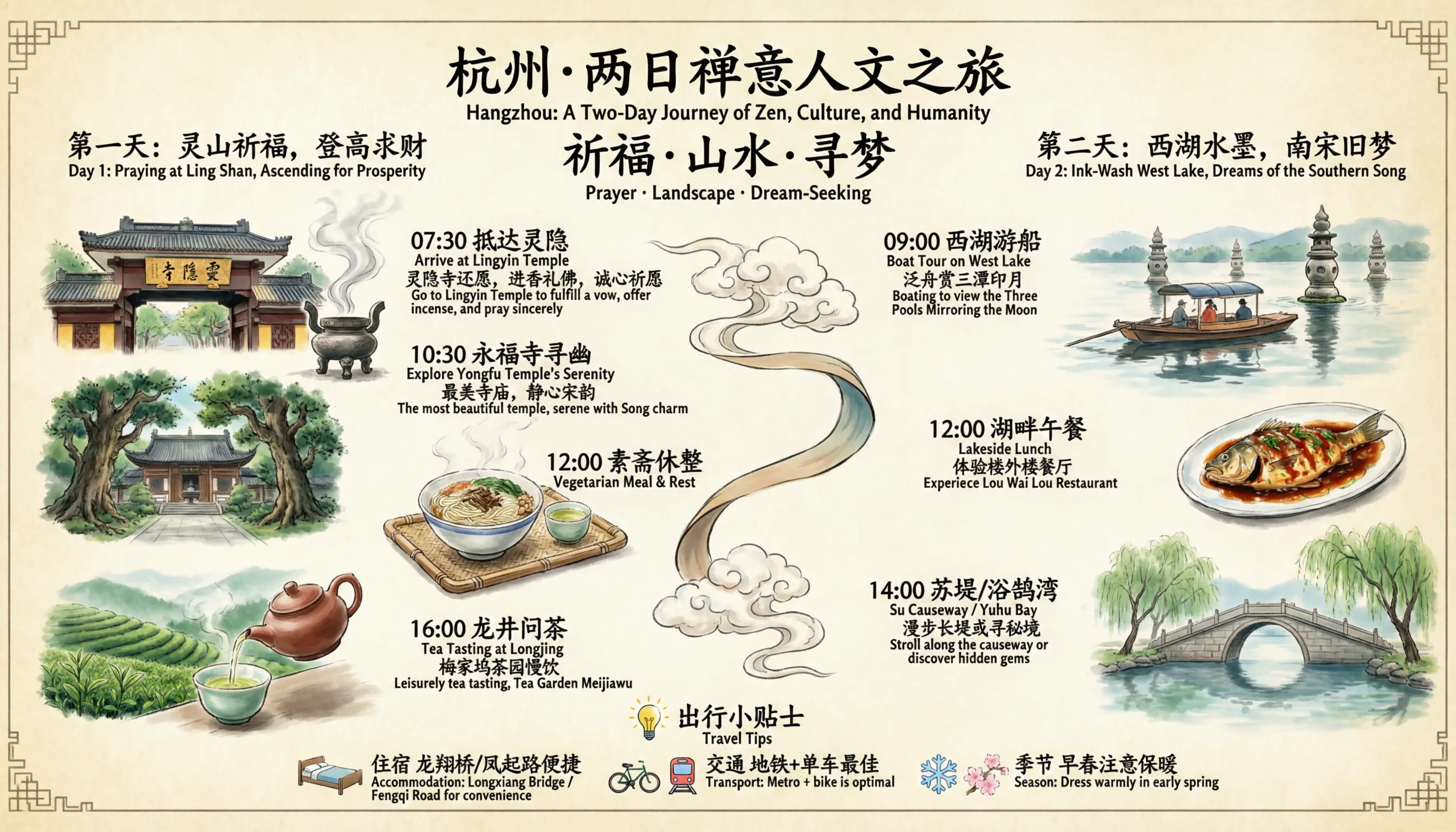
Bilingual Design (Chinese & English)

Qwen Image 2.0 renders Chinese and English typography in the same image without mixing characters or breaking alignment. Bilingual posters, dual-language signage, and mixed-script layouts come out with the consistency of professional typesetting.
Try Now

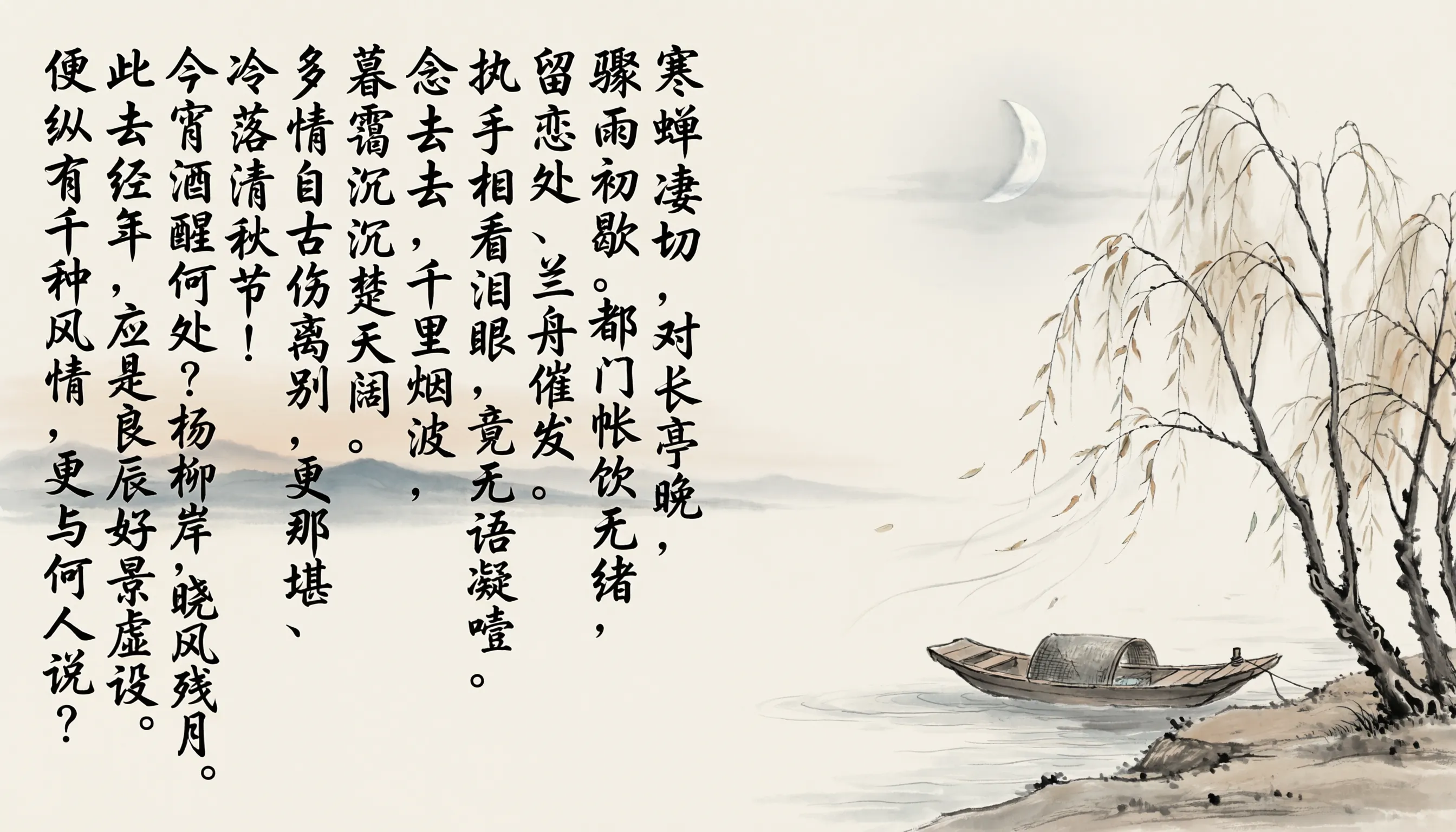
Calligraphy & Text Overlays on Photos

Upload an existing photo and add calligraphic text, poetry, or any inscription directly onto the image. The text integrates naturally with the scene's lighting, depth, and visual tone — not placed as a flat overlay on top.
Try Now

Native 2K. Ranked Top 3 Globally. Generates and Edits.

Qwen Image 2.0 was independently validated by AI Arena's blind benchmark — users evaluate outputs without knowing which model produced them. It ranks in the global top 3 for text-to-image and top 2 for image editing, using the same unified model for both tasks.
01

Native 2K Resolution (2048×2048)

Generated at full resolution from the start, not upscaled from a smaller output. Skin pores, fabric textures, architectural details, and typography all render with microscopic fidelity. Print-ready quality, straight out of the model.

02

AI Arena Rank #3 — Text-to-Image (1029 Elo)

Independently ranked across all major text-to-image models through blind user evaluations. 1029 Elo places Qwen Image 2.0 above most models from both open-source and commercial labs globally.

03

AI Arena Rank #2 — Image Editing (1034 Elo)

The same model that generates also edits, and ranks even higher on editing tasks (1034 Elo, #2 globally). One model, independently validated to perform at the top for both generation and editing.

04

One Model for Generation and Editing

Most workflows need two separate tools: one to generate, one to edit. Qwen Image 2.0 handles both in a single pipeline. Generate from a prompt, then change the background, modify a detail, or add text to an existing photo — all in the same interface.

05

7B Architecture: Fast Enough for Daily Use

Qwen Image 2.0 runs on a 7B parameter model, down from 20B in the previous version. That means faster generation times and lower cost per image — practical for high-frequency creative work, not just occasional use.

06

Seed Parameter for Consistent Results

Set a seed value and get the same image every time you use the same prompt. Useful for iterative refinement, batch production, and keeping a project's visual identity consistent across multiple outputs.

Built for Anyone Who Creates with Images

Whether you're designing a campaign, building a presentation, or producing content at scale, Qwen Image 2.0 handles the parts that other AI tools get wrong: text rendering, targeted editing, and high-resolution output.

Turn Scripts into Publishable Visuals in One Step

Describe your carousel post, infographic, or social graphic in plain language. Get readable text, correct layout, and on-brand composition without a separate design step or text cleanup. From the prompt to a publishable image, no detours.

Bilingual Campaigns That Don't Need a Retake

Generate ad visuals with accurate promotional copy in both English and Chinese. Same image, same quality, both languages rendered correctly. For global campaigns where multilingual accuracy matters, Qwen Image 2.0 is built for this from the ground up.

Edit One Region. Leave Everything Else Alone.

Select the part of the image you want to change — a background, a label, a piece of text — and describe the update. Only that region changes. The face, the lighting, and the composition stay exactly as they were. Targeted editing without rebuilding from scratch.

Generate Presentation Slides Directly from a Prompt

Describe the slide you need — layout, labels, data, visual style — and get it generated in one step. Qwen Image 2.0 understands structure: title above, data in the body, footnotes at the bottom. Complex presentations without design software or a designer.

Three Steps to a Professional Image

01

Enter Your Prompt or Upload an Image

Describe what you want to create — a poster, a slide, an infographic, a photo edit — in plain language. Or upload an existing image to use as the base for editing. Miadance passes your input directly to Qwen Image 2.0.

02

Choose Your Settings

Select the aspect ratio (1:1, 9:16, 16:9, 4:3, 3:4, and more), set a seed value if you want reproducible results, and choose your output format. For editing tasks, select the region you want to modify.

03

Download at Native 2K, or Keep Refining

Generate your image at up to 2048×2048 resolution and download immediately. To tweak a detail, adjust the text, or change part of the image, do it in the same interface — no tool switching, no re-upload, no starting over.

Common Questions About Qwen Image 2.0
Start Creating with Qwen Image 2.0

Print-ready 2K resolution. Accurate text rendering. Generation and editing in one place. Available on Miadance — describe what you need, get a professional image, and refine it without switching tools.

Try Qwen Image 2.0 Free