 MiaDance
Photo To Painting
Transform your photo into a painting-style image with rich color and artistic texture. Whether you prefer oil painting, watercolor, or soft brush effects, the AI recreates your image with depth while preserving the original composition and feel.
Examples
Turn Any Photo into a Painting
Skip the flat filters. Miadance rebuilds your photo stroke by stroke — oil paint thickness, watercolor washes, and the layered depth of real canvas art. Free, no watermark, no account needed.
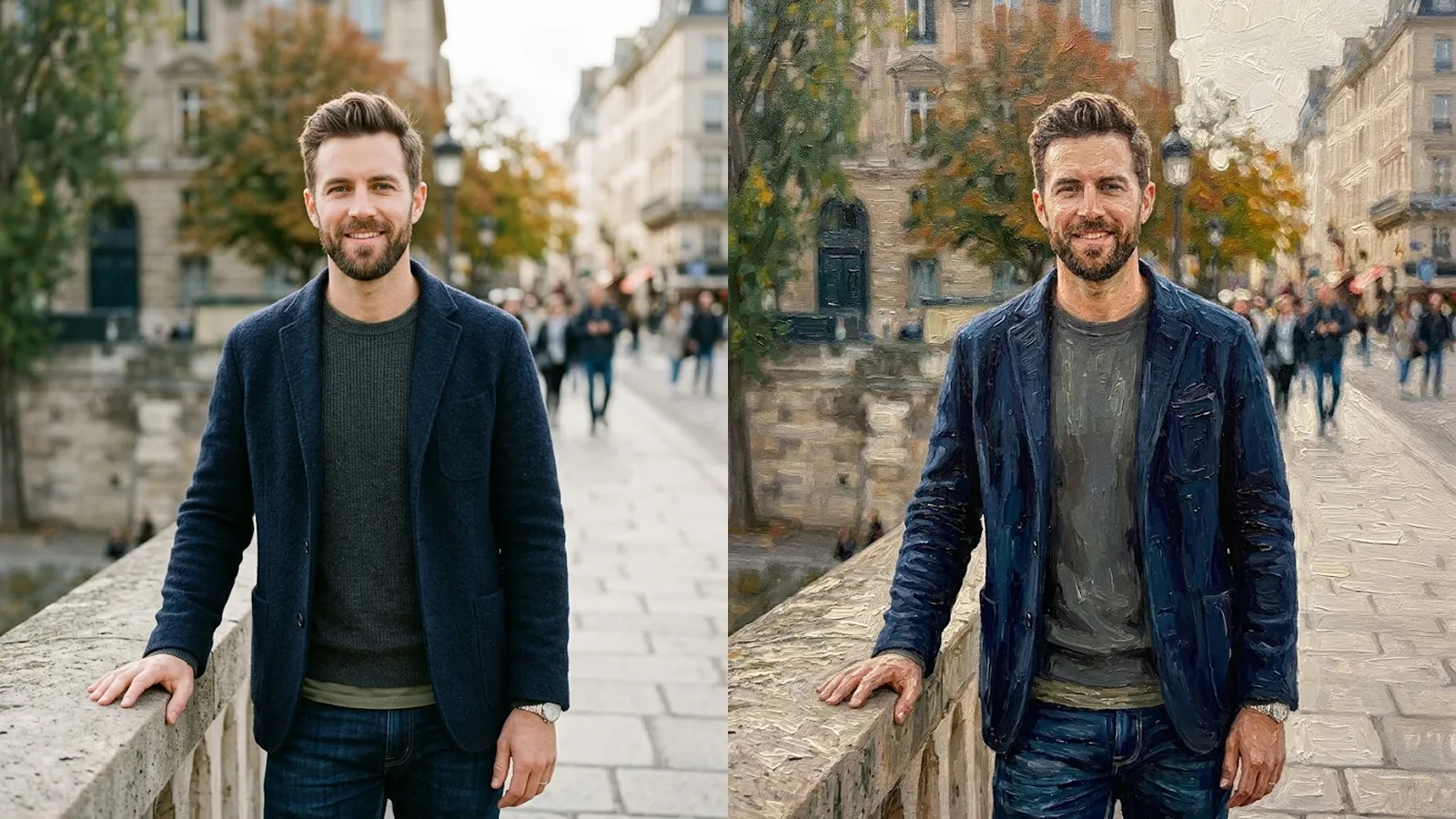
Paintings That Look Like Real Art
Standard tools apply a flat texture over your photo. Miadance rebuilds it stroke by stroke, analyzing light, depth, and composition the way a painter would before picking up a brush.
Real Brushstrokes, Not a Texture Overlay
Miadance simulates Impasto — the technique where oil paint is applied thickly to build real physical depth. Layered brushstrokes catch light the way paint does on actual canvas: shadows are deep, highlights are raised, and the result looks like something that could hang in a gallery rather than something processed by an app.
Five Master-Inspired Painting Styles
Impressionism captures soft, luminous light and visible brushwork in the tradition of Monet — ideal for landscapes and portraits. Van Gogh style applies swirling energy and saturated Post-Impressionist color. Classical Realism produces the deep shadows and controlled light of old masters like Rembrandt. Expressionism pushes emotional intensity and high contrast. Watercolor renders translucent washes for a lighter, more delicate result.
From Pet Portraits to Epic Landscapes
A face preservation feature keeps portraits recognizable even through heavy style transformation. Pet photos render beautifully in Impressionist or Renaissance-inspired styles — turning a dog or cat photo into a regal, gallery-quality portrait is one of the most popular uses. Landscapes become Monet-influenced panoramas or Van Gogh-inspired night skies. Output resolution is high enough for printing at canvas or poster size.
Free, No Watermark, Print-Ready
Upload a photo, select a style, and download your painting in seconds. No account required, no watermarks on the output. High-resolution files are ready for framing, printing, or sharing directly on social media. Everything runs in the browser, and photos are never stored on servers.
Frequently Asked Questions
Common questions about converting photos to paintings with AI.