 MiaDance
AI Smile Filter
TuUpload a portrait, group, or pet photo and watch it transform into a Pixar-style cartoon scene, beautifully framed in a classic white Polaroid.
Add a Natural Smile to Any Photo with AI
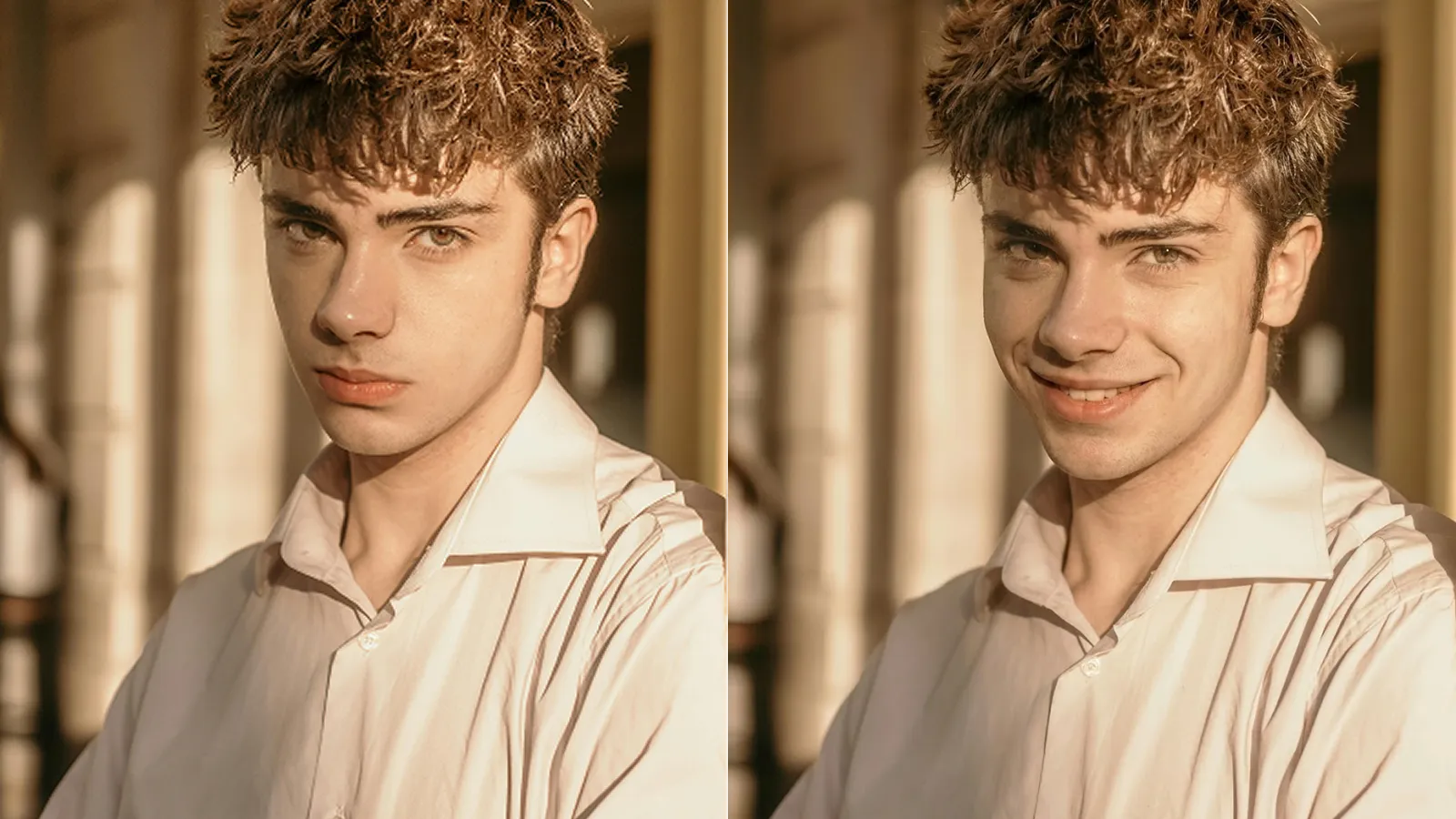
Why the Smile Looks Real, Not Rendered
Anatomy-Aware Editing
The AI reads facial structure and muscle movement to create a Duchenne-style smile (eyes + cheeks + mouth), instead of a pasted-on mouth edit. It adapts to angles, glasses, and different face shapes.
Turn Almost-Perfect Shots into Keepers
Stiff portraits, quick candid moments, the one neutral face in a group photo—AI correction gives those shots a second pass without rescheduling the photographer or gathering everyone again.
Old Portraits, New Expression
Add a smile to old family photos while keeping the original grain, texture, and tone—so the edit matches the photo's era, not a modern filter applied on top.
Browser-Based, Free to Try
Runs in your browser on mobile or desktop. Upload, process, and download in high quality—no installation, no account needed to get started.