 MiaDance
AI Bangs Filter
Try different bangs styles on your photo in seconds. Upload an image and instantly see how curtain bangs, full fringe, or soft layers look on you. The AI adapts to your face shape, hairline, and lighting, so the result looks natural and realistic—no haircut needed.
Try the Free AI Bangs Filter — See Yourself with Bangs Online
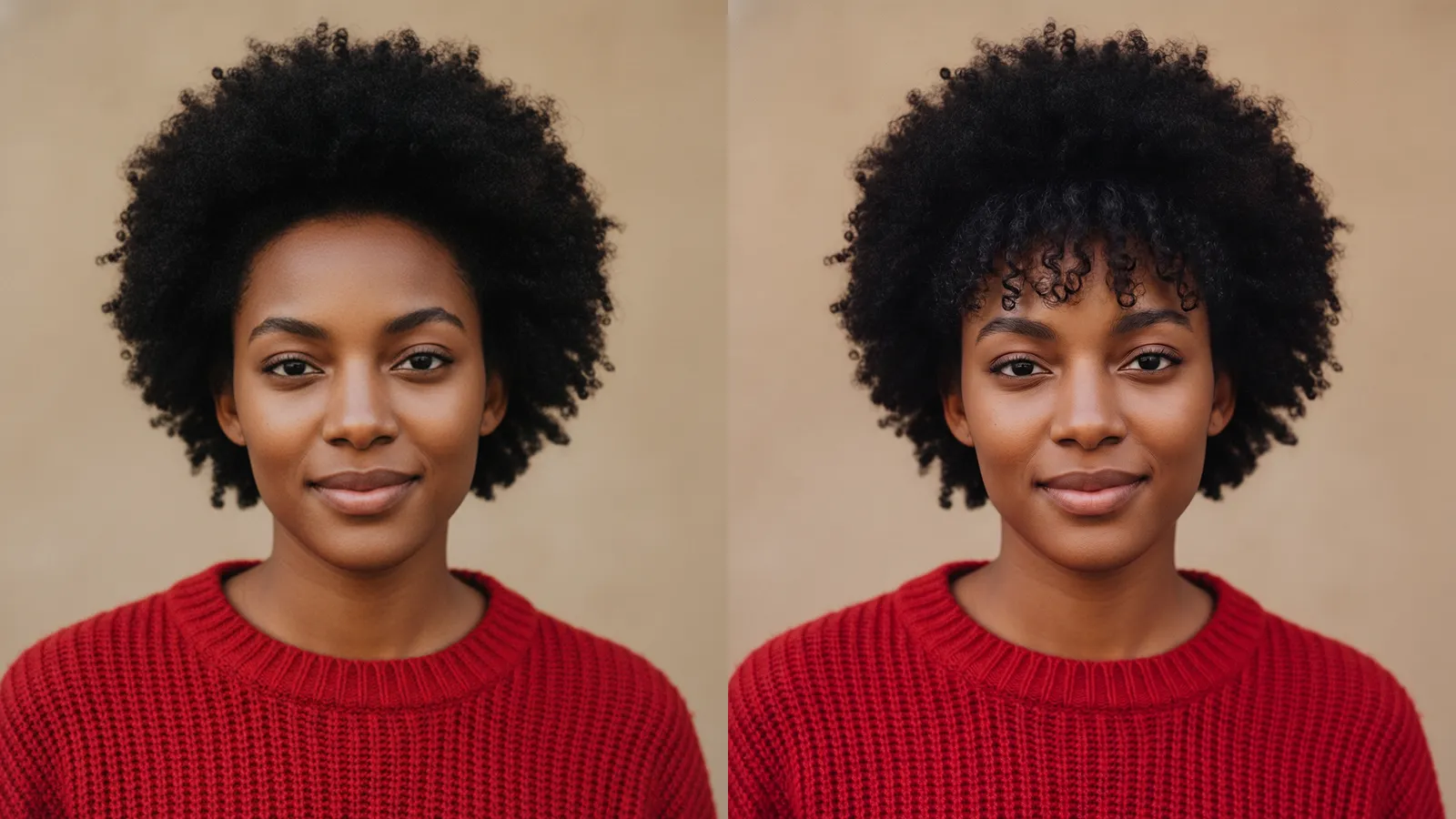
Try Every Bang Style with Our Free AI Bangs Filter
See Your Bangs Before You Cut
Upload your photo and see exactly how bangs look on your face before touching a pair of scissors. The AI renders realistic results — not stickers, not overlays — so what you preview is close to what you'd actually get.
Compare All Bang Styles Instantly
Switch between curtain bangs (face-framing, retro), wispy bangs (soft, modern), blunt bangs (bold, edgy), and side-swept bangs (classic, elegant) in seconds. Find the one that fits your face shape, hair texture, and personal aesthetic — all in one session.
Realistic Hair Blending
AI blends bangs with your natural hair color, texture, and lighting. The result looks realistic and photo-ready — a natural fit, not a filter effect.
Fits Any Face Shape
The AI detects your facial structure and adjusts how the bangs fall and frame your face. From oval to round to square to heart-shaped — the placement feels tailored, not generic.
No Sign-Up or Downloads — 100% Free
miadance's AI Bangs Filter works entirely in your browser. Start experimenting for free — no account, no app, no design experience required. Try bangs online free with no commitment.
How to Try AI Bangs in 3 Steps
Upload Your Selfie
Use a clear, front-facing portrait for best results. The free virtual bangs tool works best when your forehead and hairline are visible.
Select Your Bangs Style
Pick from curtain bangs, wispy bangs, blunt bangs, or side-swept bangs. The AI instantly applies your chosen style to your photo.
Preview and Download Your New Look
Compare before and after, then save the result to share with your hairstylist or post to Instagram, TikTok, or social media.