 MiaDance
AI Aging Filter
Visualize your future look with AI aging effects—realistic wrinkles, hair changes, and time progression.
What Will You Look Like When You're Old?
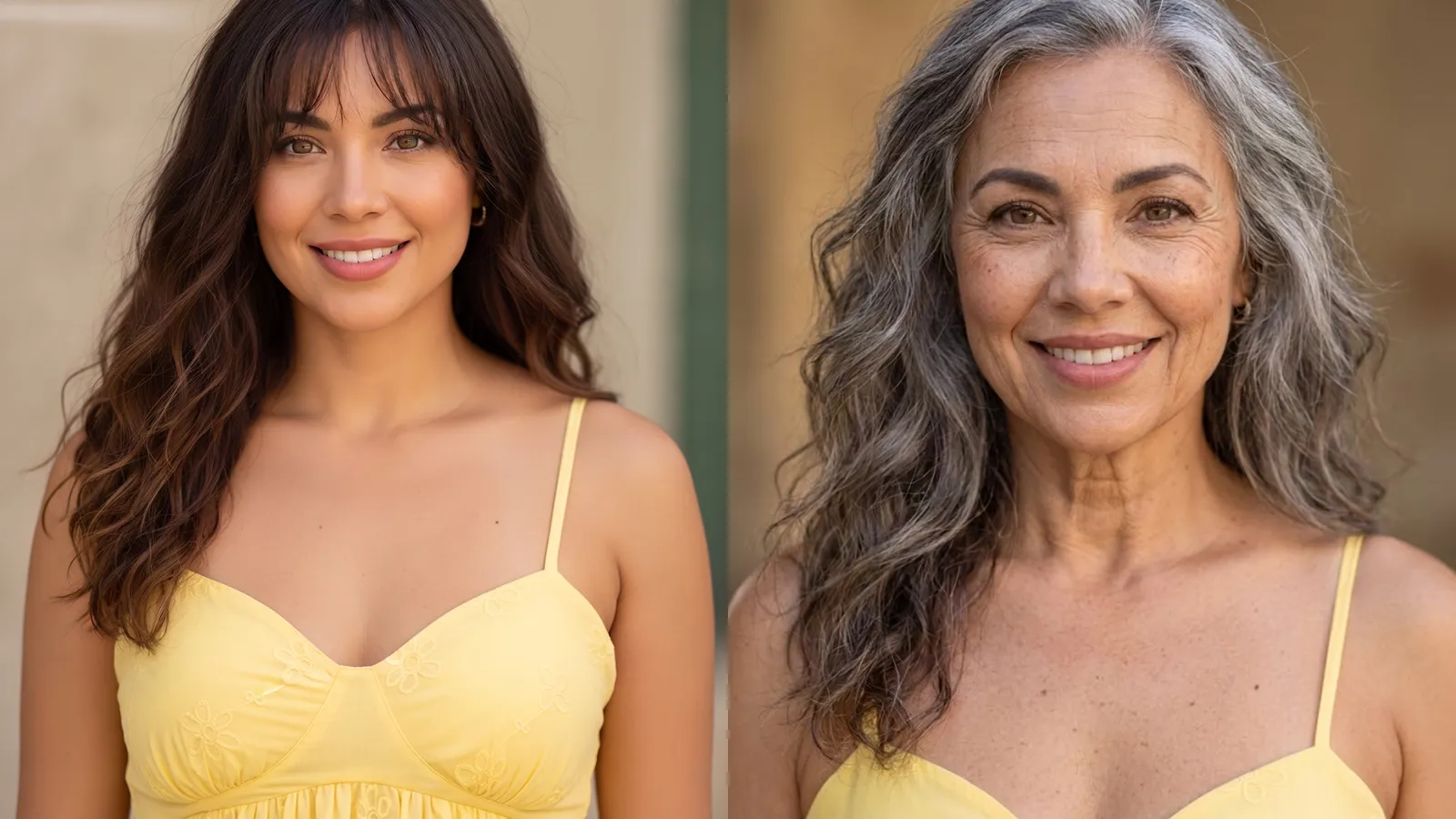
Why the Aging Looks Real, Not Like a Filter
Wrinkles That Form Where They Actually Would
Before generating any changes, the AI reads your bone structure and skin texture. Fine lines appear at the eyes, the corners of the mouth, along the forehead — where aging actually happens on your specific face. Gray hair follows your real hair pattern, not a preset.
Decades Later, Still Unmistakably You
Aging tools that warp your nose or reshape your jaw make the result feel like a stranger. This one holds your proportions stable — eye distance, jawline, the overall silhouette — so the older version reads as you at a different point in time, not someone else entirely.
Detailed Enough to Trigger a Double Take
The results carry enough specificity that users often pause. Some recognize the features of a parent or grandparent looking back at them. That kind of emotional weight is what turns a photo into something worth sharing.
Upload Once. Download Your Future Self.
No app to install, no account to set up. Open the tool in any browser on your phone or desktop, upload a portrait, and get your aged result in seconds. High-resolution output, ready to save and share anywhere.