 MiaDance
Self-Portrait Gallery
Self-Portrait Gallery transforms your photos into a curated collection of artistic self-portraits. Explore different styles, moods, and aesthetics to create a personal gallery that feels like your own digital exhibition.
Examples
You Are the Painting. You Are the Audience.
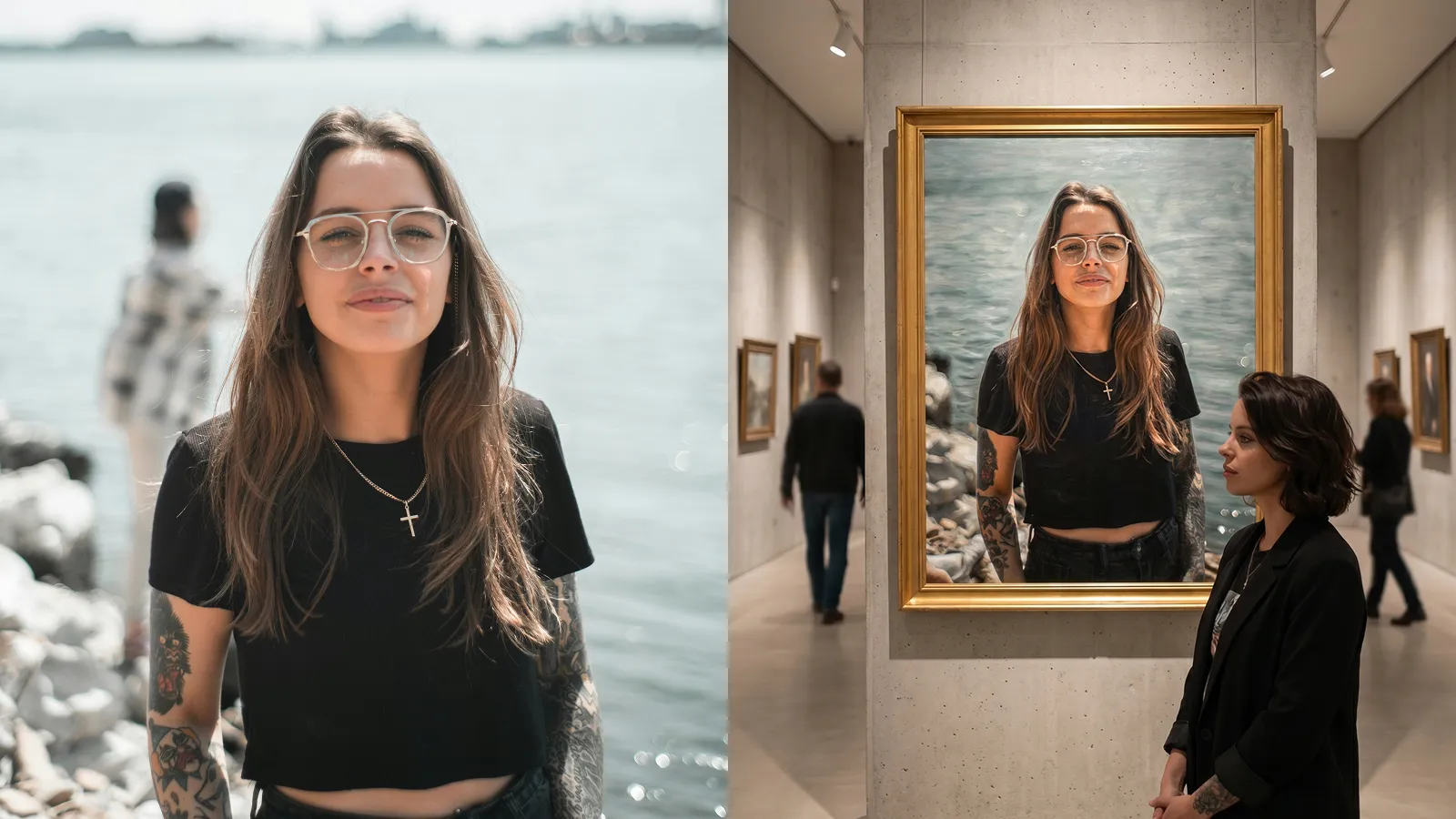
Upload your photo. AI turns you into a classical oil painting, then places you inside the gallery to admire it.
You Are the Painting. You Are the Audience.
Upload your photo. AI turns you into a classical oil painting, then places you inside the gallery to admire it.
What Makes the Self Portrait Gallery Effect Different
Dual scenes, consistent likeness, gallery-quality rendering, and three steps to get there.
You're the Painting and the Viewer
- Most AI portrait tools give you one image. The Self Portrait Gallery Effect generates two: a classical oil painting of your face in an ornate gold frame, and a separate scene of you in modern clothes, standing in the gallery looking at it.
- That second scene — where you view yourself as art — is what people actually share. It's not just a portrait. It's a story.
- One upload. Two worlds.
Museum-Quality Scene, Not a Filter
- The gallery environment includes marble floors, directional spotlights, out-of-focus background visitors, and paintings on surrounding walls — not a stock background with a frame pasted on top.
- Your portrait hangs in a heavy gold frame with thick, visible impasto brushwork — the kind of painting you'd expect to see in a major museum.
- Baroque lighting, layered brushwork, warm tonal palette. Genuine painterly texture. Not a filter effect.
One Face. Both Worlds. Zero Compromise.
- The same facial structure, skin tone, and features appear in both the oil painting and the gallery scene — generated from a single uploaded photo.
- No face-swap artifacts. No generic approximation that barely resembles you. The AI preserves a strong likeness across two completely different artistic contexts.
Three Steps. No Prompts. No Design Skills.
- Upload a front-facing portrait with even lighting.
- Set your image visibility (public or private).
- Hit generate. The AI handles the painting, the frame, the gallery, and the viewer — you just supply the face.
Built to Be Shared
- The dual-scene output — painting on one side, you viewing it on the other — is built for social media carousels, side-by-side posts, and caption-ready moments.
- The premise alone drives engagement: "I walked into a gallery and my own Renaissance portrait was on the wall." That narrative pulls people in mid-scroll.
- Share it on Instagram, use it as a personal branding header, or frame it as your latest art experiment. Any angle works.